Screen Cleaning Set for Monitors and Desktop Displays
If you are searching for a screen cleaning set for monitors and desktop displays, chances are you’ve noticed dust, fingerprints, smudges, or glare on your screen. I remember the first time I cleaned my desktop monitor properly I was surprised at how much clearer and brighter everything looked.
We spend hours every day in front of our monitors:
- Working from home
- Attending online meetings
- Editing photos or videos
- Gaming
- Watching movies
But her is the question:
How often do we clean our monitors the right way?
Most people:
- Use tissue paper
- Spray window cleaner
- Wipe with a random cloth
- Or ignore it completely
Unfortunately, that can damage modern screens.
I Will explain:
- Why a proper cleaning kit matters
- What a good screen cleaning set includes
- How to clean your monitor safely
- What mistakes to avoid
- How to maintain your desktop display long term
Let is start with understanding your screen.
Understanding Modern Monitors and Desktop Displays
Today is monitors are not just plain glass surfaces. They use advanced display technologies such as:
- LCD (Liquid Crystal Display)
- LED backlit displays
- IPS panels
- OLED panels
You can learn more about LCD technology on Wikipedia.
Many desktop monitors from brands like Dell, HP, and Lenovo use:
- Anti-glare coatings
- Matte finishes
- Blue light filtering layers
These coatings are sensitive. If we clean them incorrectly, we may:
- Remove the protective layer
- Create fine scratches
- Leave permanent streaks
- Reduce brightness clarity
That is why choosing the right screen cleaning set is important.
What Is a Screen Cleaning Set for Monitors and Desktop Displays?
A screen cleaning set is specially designed for delicate electronic screens.
Unlike household cleaning products, it is made to:
- Protect anti-glare coatings
- Avoid chemical damage
- Prevent scratches
- Reduce static buildup
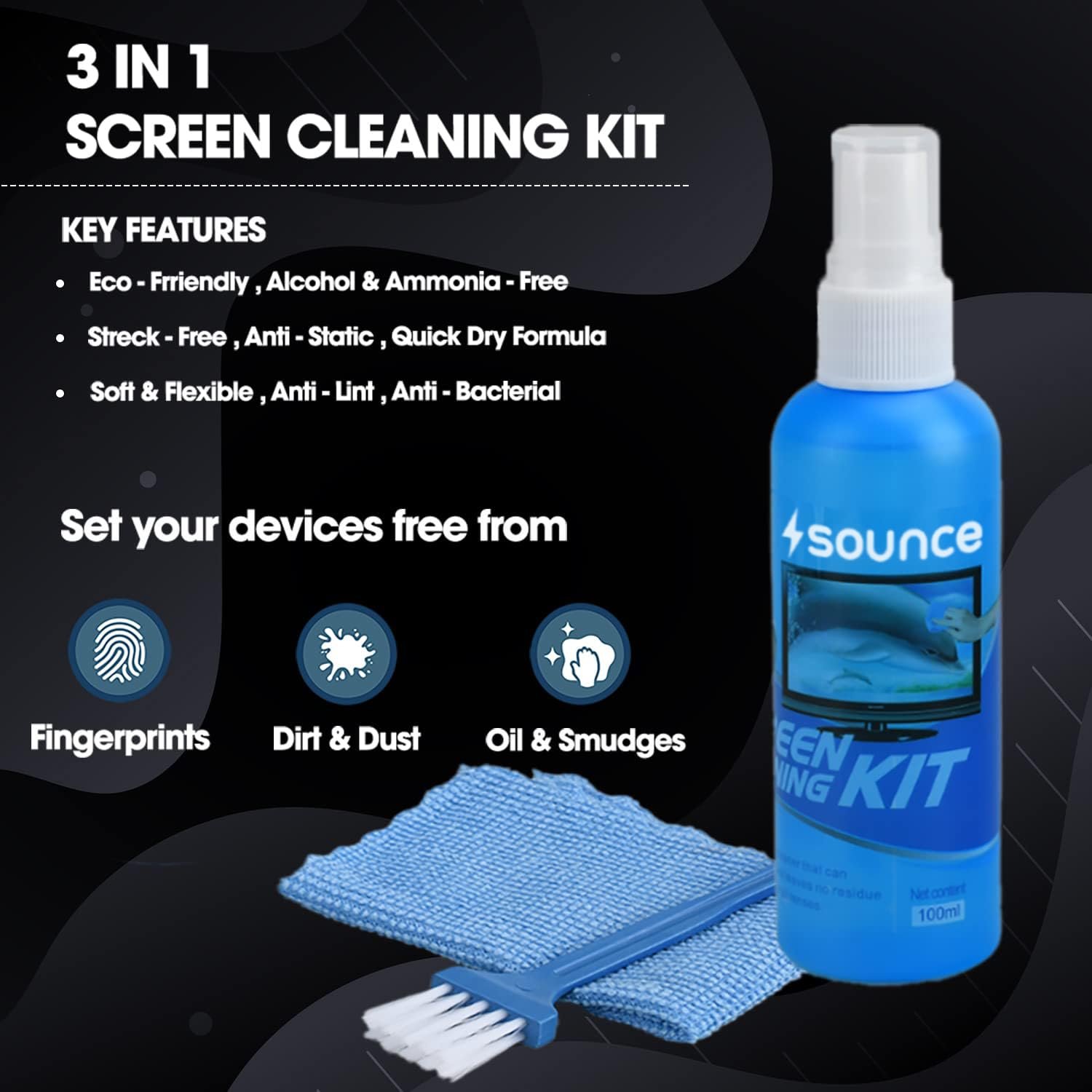
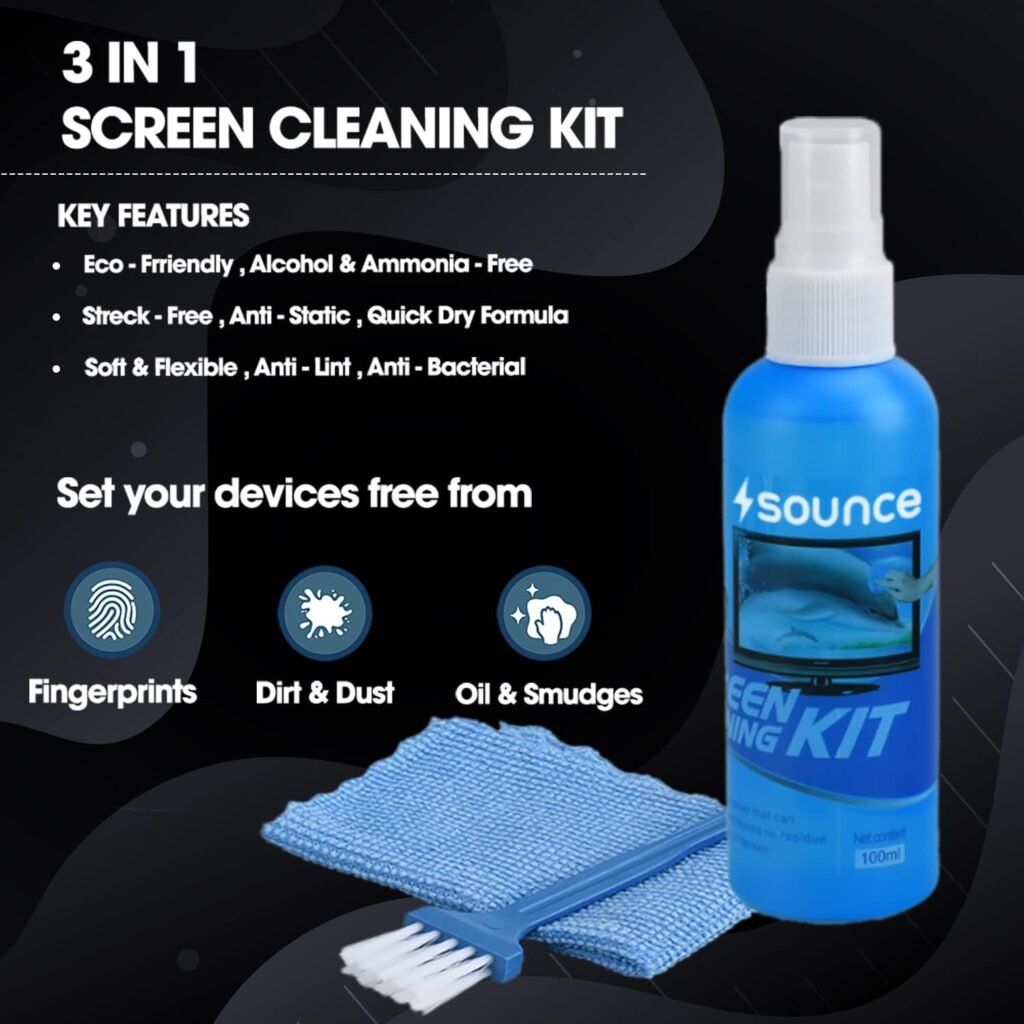
It usually includes:
Optional anti-static formula
Screen-safe cleaning solution
Microfiber cloth
Soft dust brush or air blower
2. High-Quality Microfiber Cloth
Microfiber fabric is specially designed for delicate surfaces.
You can read more about microfiber on Wikipedia.
Why microfiber?
- Traps dust particles
- Prevents scratches
- Leaves no lint
- Is reusable and washable
Paper towels may look soft, but they can cause micro scratches.
3. Anti-Static Properties
Some cleaning solutions reduce static electricity.
Less static = less dust attraction.
That means your monitor stays clean longer.
4. Soft Dusting Brush
Before wiping, remove loose dust. Dust particles can scratch the screen when rubbed.
Why You Should Never Use Household Glass Cleaner
This is one of the biggest mistakes I see.
Glass cleaners are designed for:
- Windows
- Mirrors
- Hard glass surfaces
But monitor screens are different.
According to general chemical safety guidelines referenced by the Centers for Disease Control and Prevention, certain chemicals can damage delicate materials.
Ammonia-based cleaners may:
- Strip protective coating
- Cause discoloration
- Leave streak marks
Always use electronics-specific cleaning solutions.
How to Choose the Right Screen Cleaning Set for Monitors and Desktop Displays
Let me guide you step-by-step.
Check Compatibility
Ensure the kit mentions compatibility with:
Matte and glossy screens
LCD monitors
LED screens
IPS panels
OLED displays
Read the Ingredient Label
Avoid products containing:
- Ammonia
- Bleach
- Strong solvents
Look for:
“Anti-streak formula”
“Screen safe”
“Electronics approved”
Inspect the Cloth Quality
A good microfiber cloth should:
Be thick enough for safe cleaning
Feel soft
Not shed fibers
Be washable
Check Bottle Spray Mechanism
The spray should provide a fine mist.
Never soak the cloth.
Never spray directly on the monitor.
How to Clean Your Monitor Safely
Here is the method I personally follow.
Turn Off and Unplug the Monitor
This is important because:
It reduces streak formation
It prevents electrical risk
It makes smudges visible
Remove Surface Dust First
Use a soft brush or air blower. Do not wipe dry dust.
Spray the Cloth (Not the Screen)
Lightly spray the microfiber cloth.
It should be damp, not wet.
Wipe Gently
Use:
- Circular motions
- Light pressure
- Even strokes
Never press hard
Let It Dry Naturally Wait 30 to 60 seconds before turning it back on
How Often Should You Clean Your Desktop Monitor?
It depends on your environment.
Office or Study Use
Every 2 weeks
Gaming Setup
Weekly light cleaning
Dusty Environment
- Weekly recommended
Cleaning regularly improves viewing comfort.
Benefits of Using a Proper Screen Cleaning Set
When I switched to a proper kit, I noticed:
- Sharper image clarity
- Better color visibility
- Reduced glare
- Less eye strain
- Longer-lasting anti-glare coating
A clean monitor simply looks more professional.
Common Mistakes to Avoid
Let is quickly review what NOT to do:
Using tissue paper
Spraying liquid directly on screen
Cleaning while screen is hot
Pressing too hard
Using rough fabric
These mistakes can shorten the life of your display.
Does Cleaning Improve Performance?
Cleaning does not change internal performance like refresh rate or resolution.
But it improves:
- Visual clarity
- Brightness perception
- Overall comfort
Dust can scatter light and reduce image sharpness.
Where to Buy a Reliable Cleaning Kit
You can find trusted products on platforms like:
- Amazon
- Flipkart
Before buying:
Check reviews
Confirm compatibility
Compare ratings
Avoid very cheap, unknown brands
Hygiene and Workspace Health
Dust buildup can contribute to allergies and discomfort.
The World Health Organization highlights the importance of maintaining clean environments for better health.
Keeping your monitor clean supports a healthier workspace.
1. What is the safest way to clean a desktop monitor?
Turn it off, remove dust with a brush, and wipe gently using a microfiber cloth with screen-safe solution.
2. Can I use water to clean my monitor?
Distilled water is safer than tap water, but a dedicated electronics cleaning solution is recommended.
3. How often should I clean my monitor screen?
Every 1 to 2 weeks depending on dust exposure and usage.
4. Is it safe to use alcohol on monitor screens?
High-concentration alcohol can damage protective coatings. Use products specifically labeled as screen-safe.
A screen cleaning set for monitors and desktop displays is a small investment that protects your expensive equipment.
Your monitor is the center of your workspace. Taking care of it:
- Maintains clarity
- Reduces glare
- Protects coatings
- Improves comfort
- Extends lifespan
Cleaning correctly is simple once you know the right method.