Buy Single Monitor Gas Spring Arm Online
If you are planning to buy single monitor gas spring arm online, you are probably tired of neck pain, desk clutter, or poor screen positioning. I’ve been there too. When I first upgraded my desk setup, I didn’t realize how much difference a good monitor arm could make.
In this detailed guide, I’ll explain what a gas spring monitor arm is, why you need it, how to choose the best one, where to buy it online, and how to install it properly all in simple English.
Whether you work from home, run an office, or love gaming, this tutorial will help you make the right decision.
What Is a Single Monitor Gas Spring Arm?
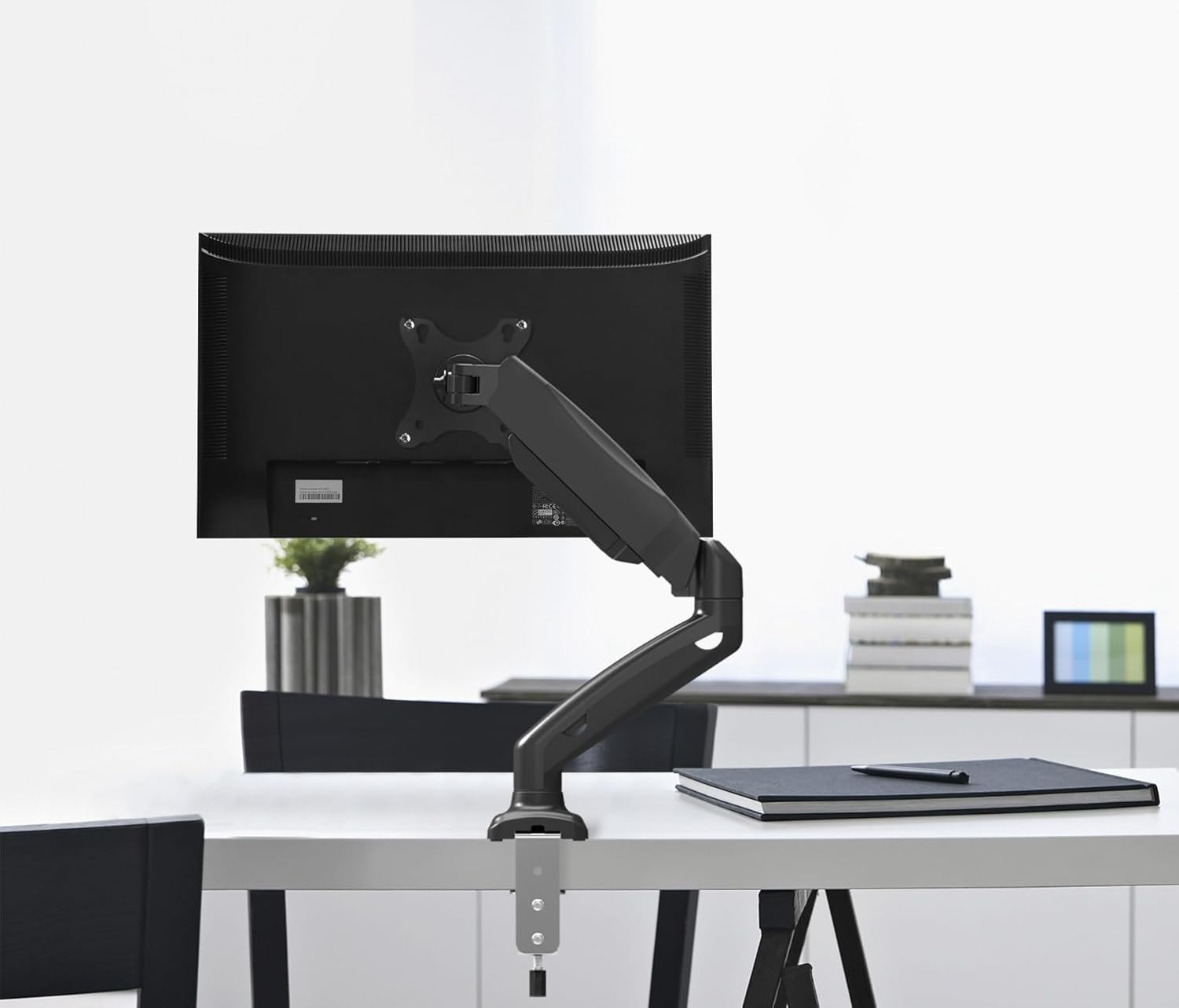
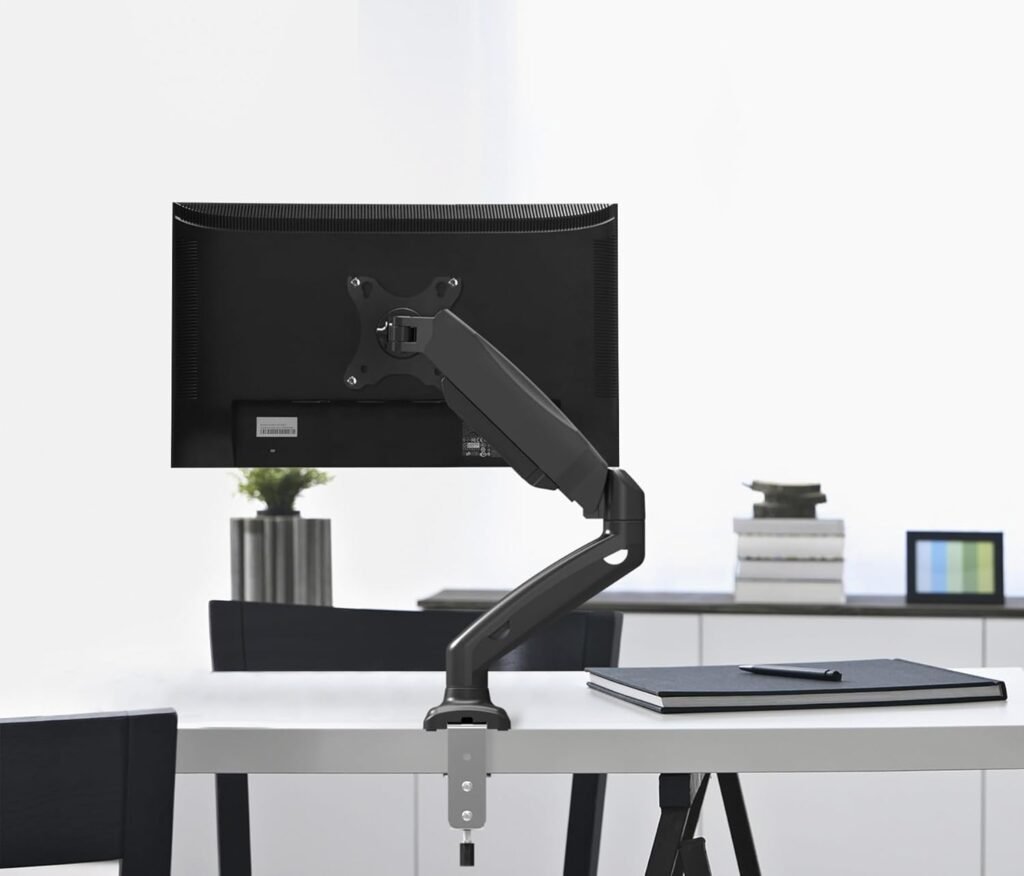
A single monitor gas spring arm is a desk mount that holds one monitor and uses a gas spring mechanism to adjust height smoothly. Unlike fixed stands, it allows:
- Height adjustment
- Tilt adjustment
- Swivel movement
- 360-degree rotation
- Better cable management
The “gas spring” inside works like a hydraulic support system. It balances your monitor’s weight so you can move it effortlessly.
You can learn more about the basic concept of monitor mounting systems on Wikipedia, where monitor stands and mounting standards are explained.
Why Should I Buy Single Monitor Gas Spring Arm Online?
When I first started searching, I wondered: Why buy online instead of a local store?
Heres why buying online is usually better:
1. More Variety
Online stores offer:
Premium and budget models
Different weight capacities
Aluminum or steel builds
Clamp and grommet mounting options
2. Better Price Comparison
You can compare:
Offers and discounts
Customer reviews
Warranty details
Specifications
3. Detailed Specifications
Online listings usually mention:
Rotation capability
VESA compatibility
Weight limit
Arm extension length
4. Home Delivery
No need to carry heavy metal parts from a store.
If you’re researching ergonomic setups, the Occupational Safety and Health Administration provides ergonomic workstation guidelines that support adjustable monitor positioning.
How to Choose the Right Single Monitor Gas Spring Arm Before Buying
When I decided to buy single monitor gas spring arm online, I made a checklist. You should too.
1. Check Monitor Weight
This is the most important step.
Most arms support:
- 2 kg to 9 kg
- 2 kg to 12 kg
Check your monitor’s weight (without stand). You can find it:
- On the manufacturer’s website
- In the user manual
- On the product page
If your monitor is heavier than the arm’s limit, it won’t hold properly.
2. Confirm VESA Compatibility
Most modern monitors support VESA standards such as:
- 75×75 mm
- 100×100 mm
VESA stands for Video Electronics Standards Association. You can learn more about VESA mounting standards on Video Electronics Standards Association.
If your monitor doesn’t have VESA holes, you may need a VESA adapter.
3. Desk Thickness & Mounting Type
When buying online, check:
Clamp Mount
- Attaches to desk edge
- Requires 1–8 cm desk thickness
Grommet Mount
- Uses a hole in the desk
- Cleaner finish
I personally prefer clamp mounts because they’re easy to install and remove.
4. Gas Spring Quality
Not all gas springs are equal.
Look for:
- Smooth height adjustment
- Anti-droop mechanism
- Tension control screw
If the arm drops slowly, it means tension adjustment is required.
5. Rotation & Movement
If you want flexibility, check for:
- 360-degree rotation
- +90° to -90° tilt
- 180° swivel
- Landscape and portrait mode
This is especially helpful for:
Content creators
Designers
Programmers
Traders
6. Cable Management
Good arms include:
- Built-in cable clips
- Hidden channels
This keeps your desk neat and professional.
Where to Buy Single Monitor Gas Spring Arm Online?
Now comes the big question — where should I buy it?
Here are the best places to consider:
1. Brand Official Websites
Buying directly from the manufacturer:
Offers support
Ensures warranty
Provides genuine products
2. E-commerce Platforms
Websites like:
- Amazon
- Flipkart
- Industry-specific office furniture stores
Check:
Return policy
Seller rating
Verified reviews
Unbox and Check Parts
Make sure you have:
Allen key
Arm assembly
Desk clamp
VESA plate
Screws
Attach the Clamp
Ensure it doesn’t wobble
Fix clamp to desk
Tighten securely
Attach VESA Plate to Monitor
Screw plate tightly
Remove monitor stand
Align VESA holes
Mount Monitor on Arm
- Hook VESA plate onto arm
Lock with safety screw
Adjust Gas Spring Tension
If monitor drops:
- Use Allen key
- Turn tension screw clockwise
If it rises:
Turn anti-clockwise
Benefits of Using a Single Monitor Gas Spring Arm
After switching, I noticed immediate benefits.
1. Better Posture
Correct screen height reduces:
- Neck pain
- Shoulder strain
- Back pain
Ergonomic alignment is supported by health authorities like the National Institute for Occupational Safety and Health.
2. More Desk Space
You free up:
Writing space
Keyboard space
Notebook area
3. Clean Professional Look
It makes your desk:
Organized
Modern
Minimal
4. Easy Screen Sharing
Rotate screen toward:
Family
Clients
Colleagues
Common Mistakes People Make When Buying Online
Let me save you from these errors.
Not Checking Weight Capacity
Ignoring Desk Thickness
Buying Without Warranty
Choosing the Cheapest Option Only
Skipping Review Reading
Always read:
Product Q&A section
3-star reviews
Negative reviews
How Much Should I Spend?
Basic models: Budget range
Mid-range: Stronger build, smoother movement
Premium: Aluminum body, extended warranty
Ask yourself:
Do I adjust height frequently?
How long will I use it?
Is my monitor expensive?
Is It Worth Buying a Gas Spring Arm Instead of a Fixed Stand?
Yes — especially if:
- You sit for 6+ hours daily
- You use a large monitor
- You share your workspace
- You care about ergonomics
Gas spring arms are more flexible than mechanical arms.
Maintenance Tips
To increase lifespan:
Do not exceed weight limit
Tighten screws every 3 months
Clean dust from joints
Avoid overloading
Who Should Buy Single Monitor Gas Spring Arm Online?
You should consider it if you are:
Content creator
1. How do I know if my monitor is compatible?
Check for VESA holes (75x75mm or 100x100mm) behind your monitor and confirm the weight.
2. Can a gas spring arm hold a 27-inch monitor?
Yes, if the weight is within the supported range. Size doesn’t matter as much as weight.
3. Is installation difficult for beginners?
No. Most models come with tools and instructions. It usually takes 15–25 minutes.
\
4. Does using a monitor arm really improve posture?
Yes. Proper screen height reduces neck strain and supports ergonomic sitting posture.
Should You Buy Single Monitor Gas Spring Arm Online?
If you spend long hours at your desk, upgrading your setup is not a luxury — it’s an investment in your health and productivity.
When I upgraded mine, I immediately felt:
- Less neck strain
- Better focus
- More desk space
- Cleaner workspace
So if you’re thinking about it, I would say yes — it’s worth it.
Work-from-home professional
Gamer
Student
Designer
Office employee