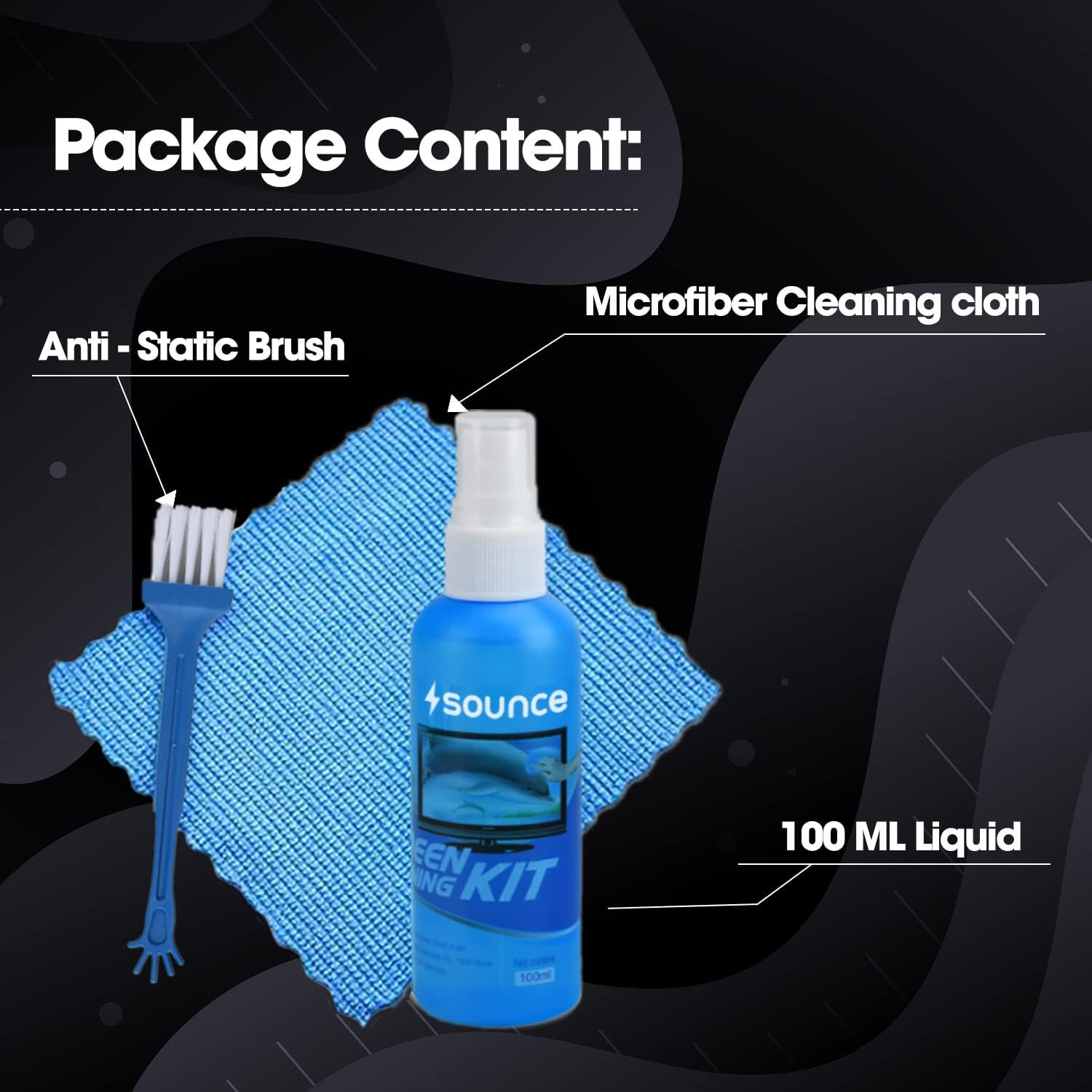
Multi Device Screen Cleaning Kit for Mobiles and Tablets
If you are searching for a multi device screen cleaning kit for mobiles and tablets, you probably noticed fingerprints, oily smudges, dust, or even makeup marks on your screen. Iive faced the same problem. One day I held my tablet near a window, and I was shocked to see how dirty it actually was.
We use our phones and tablets everywhere:
- At home
- At work
- In the kitchen
- While traveling
- Even in bed
So naturally screens collect dirt.
But here is the question I asked myself:
How do I clean my phone and tablet safely without damaging the screen?
That is exactly what this detailed guide will help you understand.
Why Cleaning Mobile and Tablet Screens Is So Important
Our devices are not just glass panels. Modern screens use advanced display technologies like:
- LCD (Liquid Crystal Display)
- OLED (Organic Light Emitting Diode)
- Gorilla Glass protection
You can learn more about OLED technology on Wikipedia.
Most smartphones today including devices from Apple and Samsung use sensitive coatings like:
- Anti-glare coating
- Oleophobic (oil-resistant) layer
- Scratch-resistant protective layer
If we clean them incorrectly, we may:
- Damage the coating
- Cause micro scratches
- Reduce screen clarity
- Affect touch sensitivity
That is why investing in the right cleaning kit matters.
What Is a Multi Device Screen Cleaning Kit for Mobiles and Tablets?
A multi device screen cleaning kit is designed to safely clean:
- Smartphones
- Tablets
- Smartwatches
- E-readers
- Laptop screens
- Camera lenses
Instead of using random cloth or glass cleaner, this kit is made specifically for electronics.
What Should a Good Cleaning Kit Include?
Let is break it down clearly.
1. Screen-Safe Cleaning Spray
The spray should be:
- Alcohol-free
- Ammonia-free
- Non-toxic
- Streak-free
Why?
Household cleaners often contain chemicals that can damage delicate coatings.
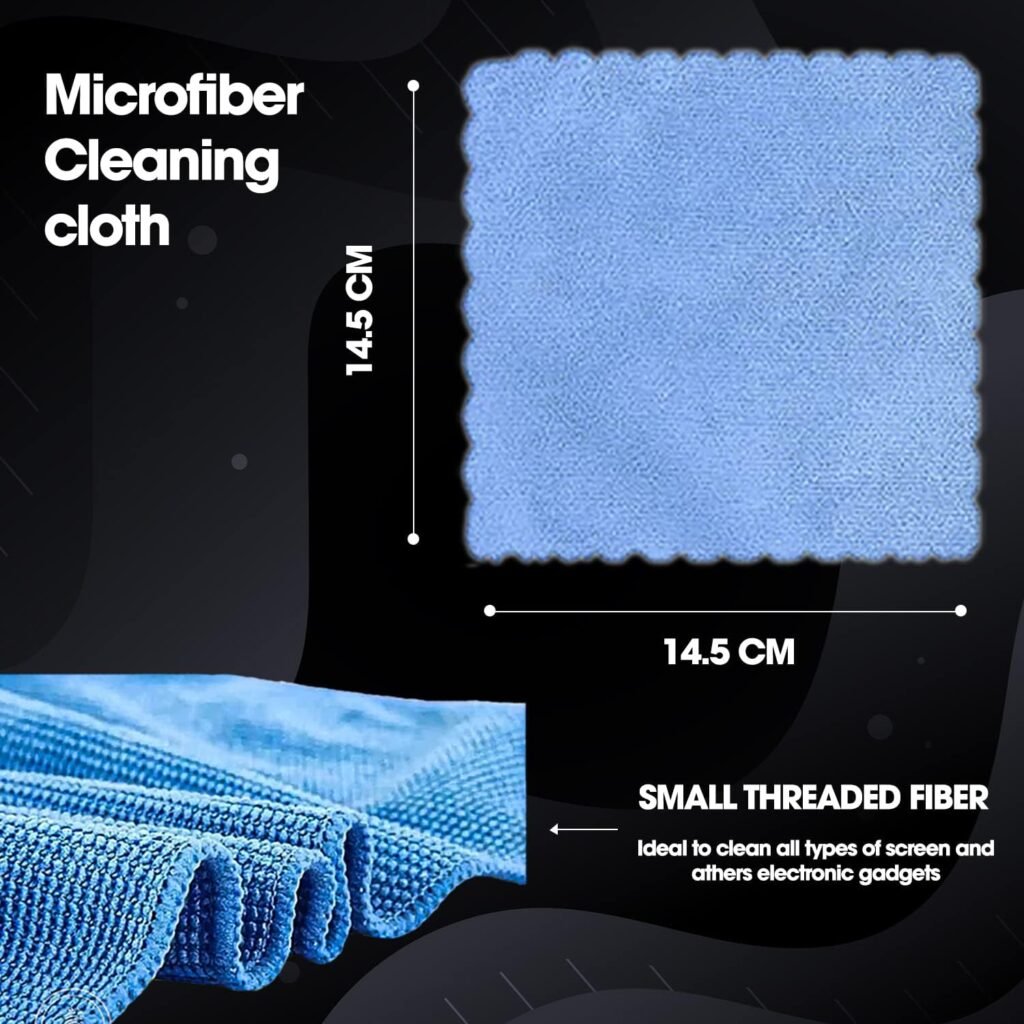
2. High-Quality Microfiber Cloth
Microfiber material is specially designed for delicate surfaces.
You can read more about microfiber fabric on Wikipedia.
Benefits of microfiber:
Reusable and washable
Traps dust particles
Leaves no lint
Prevents scratches
3. Soft Brush or Dust Remover
Dust particles can scratch your screen if you wipe them directly.
A soft brush helps remove loose particles first.
4. Compact Carry Case (Optional but Useful)
If you travel often, a compact kit keeps everything organized.
Why You Should Use a Dedicated Cleaning Kit
Many people ask:
“Can I use tissue paper?”
“Is water enough?”
“Can I use glass cleaner?”
Let me explain clearly.
Why Tissue Paper Is Risky
Tissues may feel soft, but they can:
Spread dirt instead of removing it
Leave fibers
Create micro scratches
Why Glass Cleaner Is Dangerous
Most glass cleaners contain ammonia.
According to general cleaning safety guidelines discussed on Centers for Disease Control and Prevention, chemical exposure should be handled carefully. Strong chemicals are not designed for delicate electronics.
Why Tap Water Isn’t Ideal
Tap water contains minerals that may leave residue.
If you must use water, distilled water is safer but a proper electronic cleaning solution is better.
How to Choose the Right Multi Device Screen Cleaning Kit for Mobiles and Tablets
Check Compatibility
Make sure the kit says safe for:
- Mobile phones
- Tablets
- LCD / LED / OLED screens
Touchscreens
Read Ingredient List
Avoid products that contain:
- Ammonia
- Bleach
- Strong alcohol (high concentration)
Look for words like:
“Electronics-friendly”
“Alcohol-free”
“Screen-safe”
Check Cloth Quality
Ask yourself:
- Does the cloth feel soft?
- Does it shed fibers?
- Is it washable?
Reusable microfiber saves money long term.
Look at Spray Bottle Design
Good spray bottles:
- Provide fine mist
- Prevent leaks
- Offer controlled spray
Always spray on the cloth never directly on the device.
How to Clean Your Mobile or Tablet Safely
Now let me explain the safest method I personally follow.
Turn Off Your Device
This helps:
- Prevent accidental touches
- Make smudges visible
Improve safety
Remove Case or Cover
Dirt often hides along edges.
Clean the case separately.
Remove Loose Dust
Use a soft brush or air blower first.
Never rub dry dust across the screen.
Spray the Cloth (Not the Screen)
Lightly spray microfiber cloth.
Do not soak it.
Wipe Gently
Use gentle circular motions.
Do not press hard.
Modern screens are delicate.
Let It Air Dry
Wait 30 to 60 seconds before turning the device back on.
How Often Should You Clean Your Devices?
This depends on usage.
Heavy Usage (Daily Outdoor Use)
Clean every week
Moderate Usage (Office/Home)
Every 2 weeks
Light Usage
- Once a month
Remember: Phones carry bacteria because we touch them constantly.
Hygiene and Screen Cleaning
Mobile phones can collect germs.
The World Health Organization emphasizes hand hygiene for infection control.
Cleaning your device regularly supports better hygiene habits.
However:
Use screen-safe solutions only
Avoid harsh disinfectants
Benefits of Using a Multi Device Screen Cleaning Kit for Mobiles and Tablets
When I started using a proper kit, I noticed:
- Better screen clarity
- Less glare
- Smoother touch response
- Improved viewing experience
- Longer-lasting protective coating
It also gives peace of mind.
Common Mistakes to Avoid
Here are mistakes many beginners make:
Spraying directly on the screen
Using rough fabric
Cleaning when device is hot
Using strong alcohol wipes
Pressing too hard
Avoid these to protect your investment.
Can Cleaning Damage My Screen?
Yes if done incorrectly.
Risks include:
- Removing oleophobic coating
- Creating fine scratches
- Causing moisture damage
That is why using a proper electronics cleaning solution is important.
Where to Buy a Reliable Cleaning Kit
You can find quality kits from trusted sellers on:
- Amazon
- Flipkart
Before buying:
Check product reviews
Confirm it is screen-safe
Avoid extremely cheap products
Compare ratings
1. What is the safest way to clean a mobile phone screen?
Turn off the phone, use a microfiber cloth, and apply a screen-safe cleaning solution gently.
2. Can I use alcohol wipes on my tablet screen?
High-concentration alcohol may damage coatings. It’s safer to use an electronics-specific cleaning solution.
3. How often should I clean my tablet screen?
Every 1 to 2 weeks depending on usage and exposure to dust.
4. Is it safe to use water on a phone screen?
Distilled water is safer than tap water, but a dedicated screen cleaning spray is better.
A multi device screen cleaning kit for mobiles and tablets is a small investment that protects your expensive devices.
We spend thousands on smartphones and tablets. Why risk damaging them with the wrong cleaning method?
Using the right tools:
- Protects coatings
- Maintains clarity
- Improves hygiene
- Extends device life
- Keeps your screen looking new
Cleaning properly is simple once you know how.